
Fix Focus On Your Digital SLR Canon Camera
Factory settings can be confusing and very frustrating when it comes to focusing your Canon DSLR, and explaining what all 3 buttons do together can get a little complicated but here goes. Hopefully afterward you’ll be able to change them to suit your subject and get more successful shots. It just takes practice…
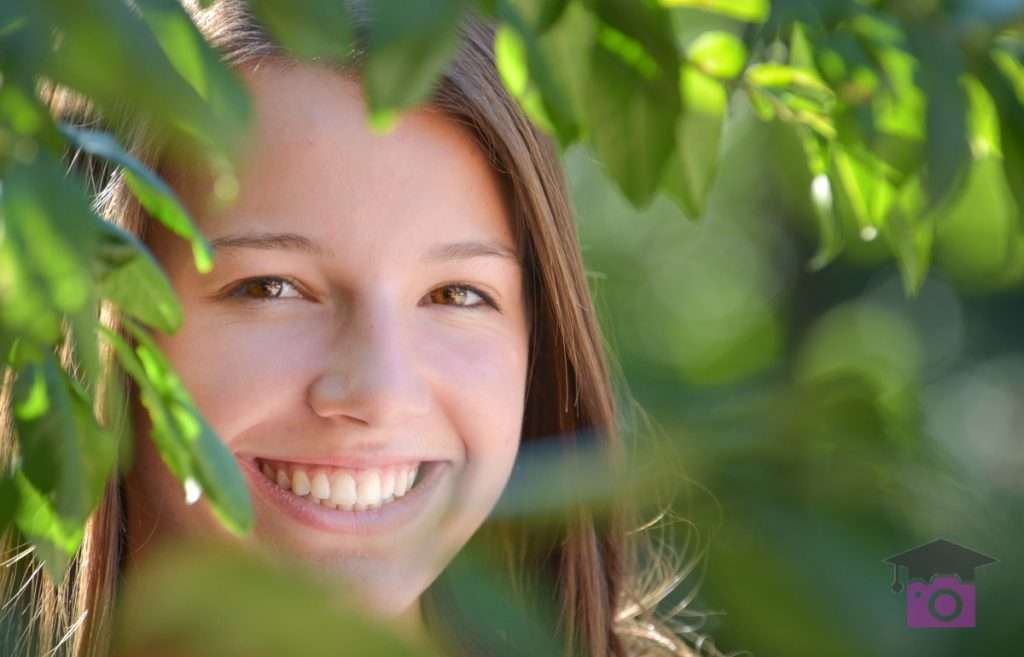
Focus on EYES! ONE SHOT & manual focus selection. ©Malinda Hartong
DSLR FOCUS has 3 buttons
1. Focus Area – you can choose the small dot in the viewfinder upon which your camera tries to focus instead of ALL of them.
2. Focus Point – if you do choose a single focus point, you can move that from 1 point to another.
3. Focus Mode – AI Servo verses One Shot Focus – for moving or relatively still subjects.
Oh and 1 more switch – typically on the lens. Auto Focus versus Manual Focus. Yes, you can turn OFF Auto Focus (sometimes by accident lol), intentionally when you’re shooting through a fence or other objects like tree limbs….
Let’s go over them 1 at a time. Let’s turn the top dial to P for Program Mode (or AV or TV – check back more on these in another post). Most of the auto modes don’t give you a choice when it comes to focus. How rude! Just kidding! : )
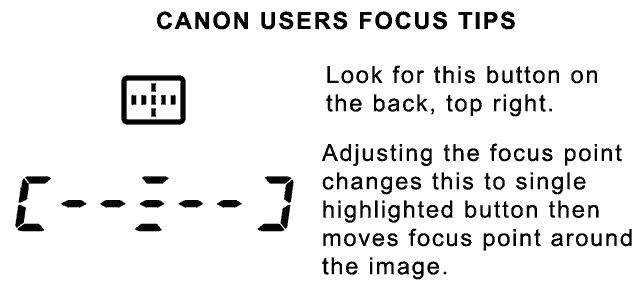
Canon: AF Point Selection button on the back, top right – lets you choose between Auto AF point selection and selecting a single point – noted by the bottom symbol.
FOCUS AREA
Single Point AF – Manual Selection
allows you to LOCK focus and compose the image with off-center subject/focus point. Select the focus point manually; the camera focuses on the subject in the selected focus point. Choose for stationary subjects or when you can anticipate where you want the subject in the frame – like basketball – locking focus on the basket & waiting for the layup.
Auto Area AF
camera chooses. Again, not my personal favorite.
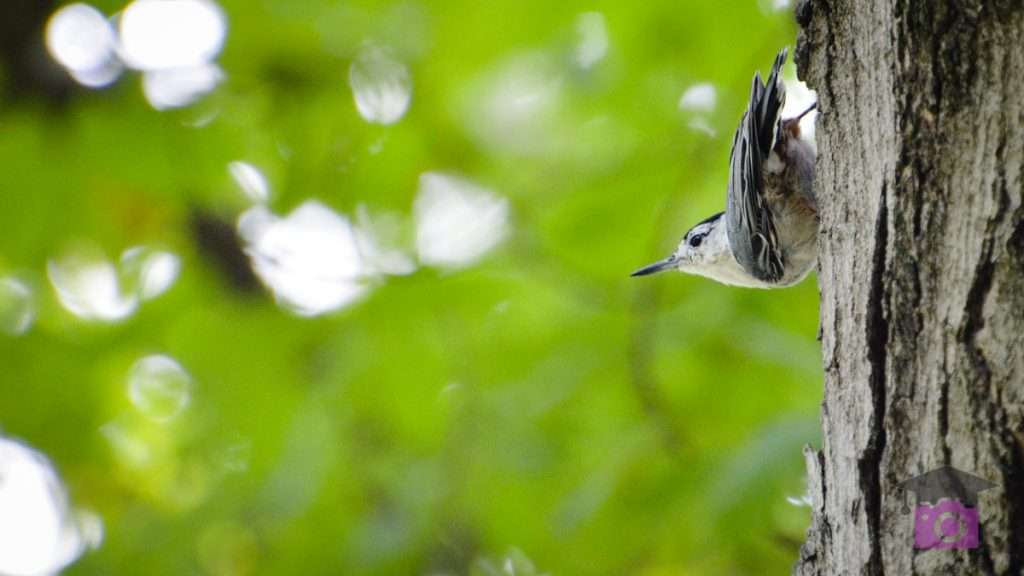
Great Parks Photo Walk, nuthatch, ONE SHOT focus, manual point © Malinda Hartong
Select Point
Automatic AF Point Selection (Factory Default)
Camera Chooses any of them, typically on the closest subject – which is seldom what you want. Stinks most of the time!
AI Focus AF
In AF-A and AF-C focus modes, you pick focus point, but camera can adjust for a moving subject.
Single-Point AF
Touch shutter to activate auto focus – turn dial on back on Canon. Nikon – touch shutter, use thumb back & forth on rear controls to move focus point.
Single Point AF – Lock Focus by pressing shutter half way down and keeping your index finger in place.
Look for solid green circle in viewfinder to confirm focus. DON’T move your finger. Now you can “reframe” or “recompose” the shot so that your subject is in a different part of the frame.
For instance, if I’m doing a bunch of portraits, and turn the camera vertically, I want to LOCK FOCUS (AF-S – Nikon or One Shot – Canon) on the persons eyes.
I also move the focus point to the top of the frame so it’s easier to focus on eyes without having to continuously tilt up and down if the focus point were in the center.
The top right button on the back allows you to change your focus point & move it around the frame with the camera’s top command dial. Here’s where you can change it from AUTO to MANUAL SELECTION and also move the active point.
FOCUS MODE

Track moving subjects with AI SERVO © Malinda Hartong
Auto versus Single versus Continuous Focus Modes.
Auto Mode
AI Focus AF. Camera decides for you if subject is moving or still and changes between single (still) & continuous focus (moving). Personally I think it’s best to pick between the other 2 options.
Single Point Auto Focus
One Shot. Allows you to choose the focus point, LOCK FOCUS and compose the image with off-centersubject/focus point. Person left, person right, building in the middle – choose one person, point the active focus point at them directly, LOCK focus by keeping finger pressed half way on shutter and green focus indicator solid in viewfinder, reframe the shot, press the shutter the rest of the way to take the photograph.
Continuous Focus
AI Servo. Follow focus on moving subjects while pressing shutter half-way down. It CONTINUOUSLY adjusts the focus distance to try to track a moving subject, like a duck flying by, or a child running, or sports action.
Not to be confused with RELEASE MODE / DRIVE: SINGLE SHOT DRIVE versus CONTINUOUS DRIVE where the difference is you take 1 shot on single when you press the shutter. Continuous drive – the camera keeps firing as you press the shutter. I keep my cameras on continuous drive ALL the time so I don’t have to think about it. I typically shoot people and they change expression from one shot to the next. More on that later, especially with flash.
Learn More
Want to learn more? Join Malinda for a 1-1 lesson in person in greater Cincinnati, or DSLR BEYOND AUTO MODE WORKSHOP